Overview
UPA Hillsborough is a licensed USA Poolplayers Association pool league. It's also the project I point to most often when someone asks what I mean by “a website and an app doing one job together.” There's a public site at upahillsborough.com that explains the league and gets new players signed up, and a role-based admin console at admin.upahillsborough.com that turns those sign-ups into rosters, teams, and a published events calendar — run entirely by league staff, not by me.
Project at a Glance
- Client: UPA Hillsborough
- Type: Public membership site + role-based admin console
- Stack: React & TypeScript front end, Node/Express with PostgreSQL
- Public site: upahillsborough.com
- Admin console: admin.upahillsborough.com
The Public Site
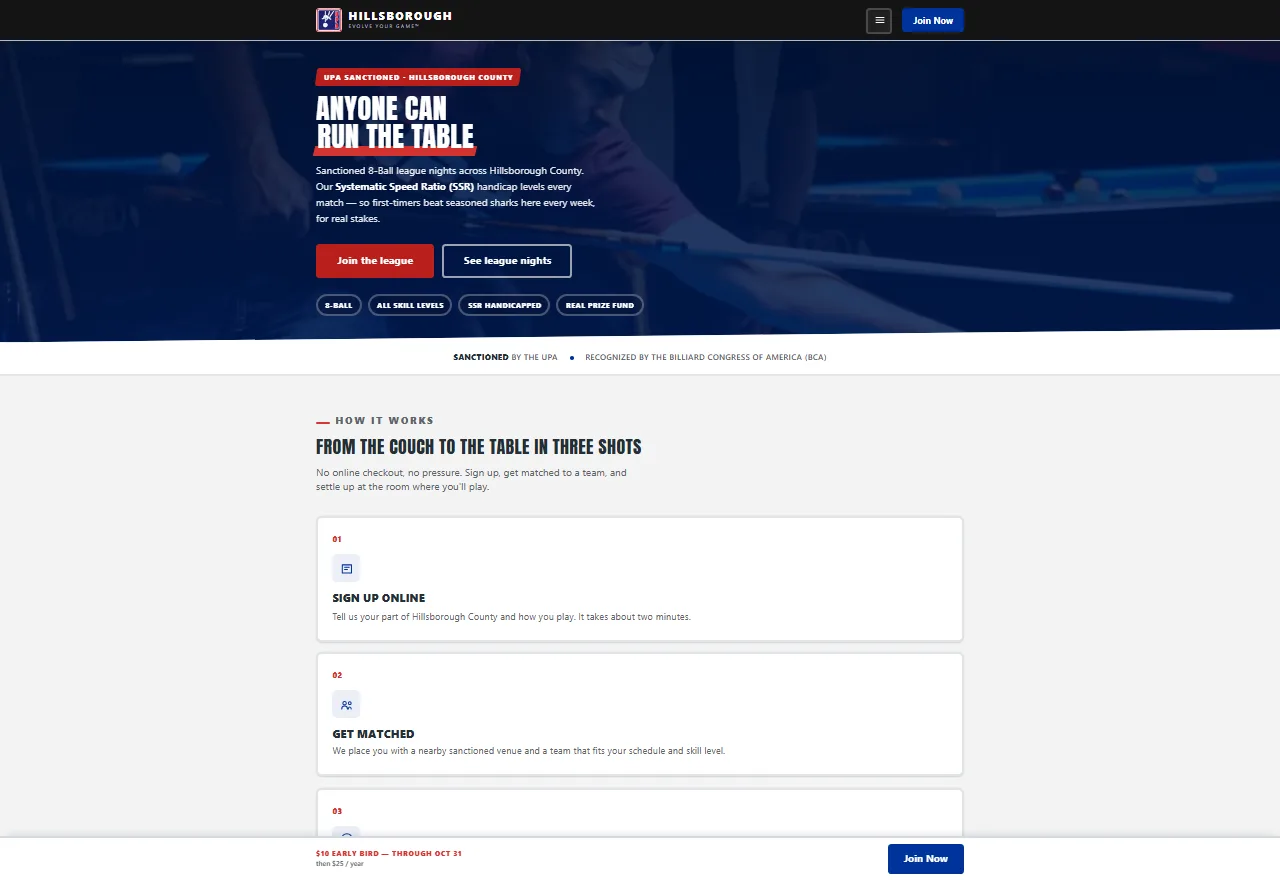
upahillsborough.com is where a prospective player lands first, and its job is to answer three questions fast: is this a real, sanctioned league; what does joining involve; and where do I sign up. The sanctioning bar does the first job — it's the visible tie to a recognized pool organization, not just a local hobby page — and a three-step how-it-works section carries a visitor the rest of the way to an application.
Once someone's a member, the site keeps earning its keep. An Events & Tournaments page lists upcoming league nights with filters by game type, each one showing its date, start time, and a link to the full details. An Announcements page carries updates posted from the league office, so players have one place to check instead of a group text or a mailing list.
The Admin Console
None of that public content is hand-edited. Every applicant, player, team, and event on the public site is a record managed from the admin console — the private side of the same build, built for the volunteers who run the league week to week rather than for a developer.
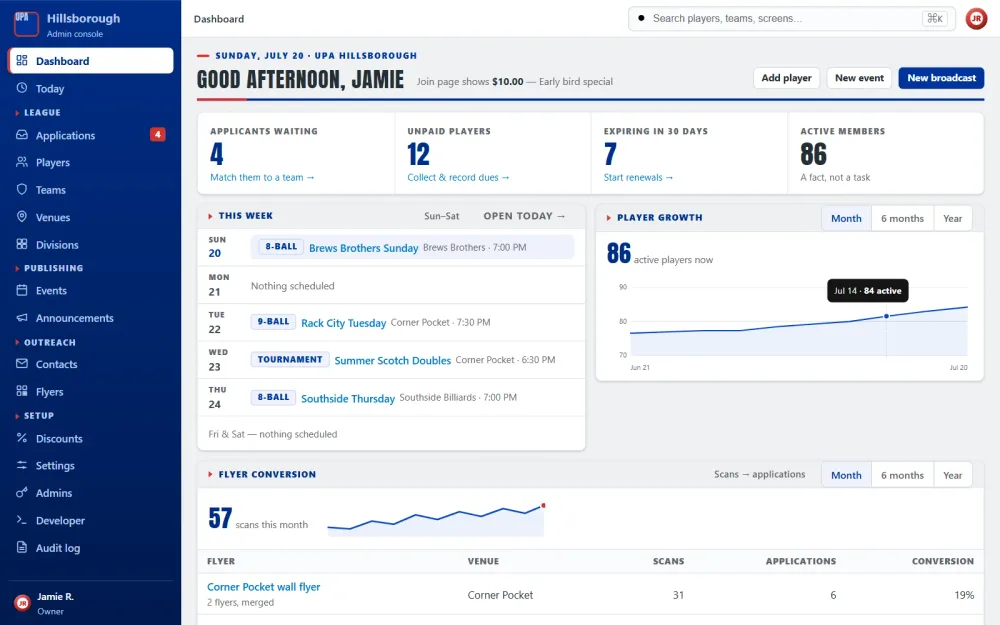
New sign-ups arrive as applications and wait in a queue inside the console. Each applicant's record carries four possible actions — place on team, link to an existing player, waitlist, or reject — and placing someone on a team is the specific action that admits them to the league as a player. Once a season is underway, the players screen is a sortable roster with status, payment, division, and membership expiry, plus CSV import and export for the bulk updates a volunteer coordinator actually needs to run.
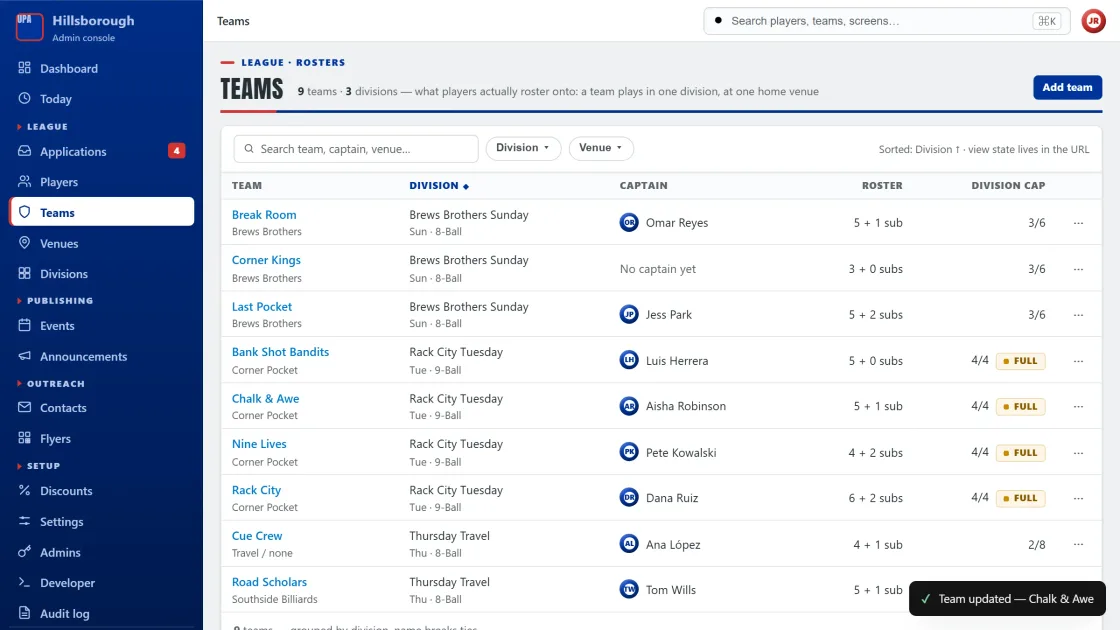
Events work the same way. Staff publish league nights, tournaments, and socials from the console and set the order they should appear in — and that order is exactly what shows up on the public calendar, so there's one source of truth instead of two copies drifting apart. Access itself is role-based: separate admin, staff, and coach permissions mean a volunteer gets exactly the access their job needs and nothing else.
Technologies Used
The Decision That Shaped the Build
The choice that mattered most wasn't a technology — it was deciding the console would be the source of truth and the public site would be a read-only view of it, with nothing on the calendar editable from two different places. The one deliberate trade-off that follows from that: publishing isn't automatic. A league night doesn't appear on the public calendar the moment it's created; staff arrange events in the order they want them shown and publish from there. That's one extra step for whoever's running events, but it means the public site never shows something that isn't ready, and reordering the calendar never means touching two systems to keep them in sync.
Launch
UPA Hillsborough is live today, and the applications queue, rosters, and events calendar are run entirely by league staff. That's the actual test of whether an admin console works: not that it shipped, but that the people who need it every week can run it without calling the developer.
What I'd Tell Another Business in the Same Spot
If you're running any kind of membership organization — a league, a club, an association — and you're still processing sign-ups by spreadsheet and email once someone (even a volunteer) is doing it by hand every week, that's usually the signal it's time for a console. It doesn't need to be complicated on day one. It needs to model the two or three actions your team actually performs on a record over and over — for UPA Hillsborough, that's placing an applicant on a team — because that's the screen people will be staring at. And decide the access roles up front. Working that out later, after people already have logins, is a much bigger job than designing it in from the start.
If a project like this is close to what you need, a public site and an admin console are two different services I offer together — see websites and custom apps. There's more live work on work, or get in touch through contact to talk about your own.
Need a Site, an App, or Both?
Whether it's a public site, a role-based admin console, or the combination that runs a whole organization, let's talk about what your team actually needs.
Get Your Free Consultation