Custom apps — from $1,000 · 1–2 weeks

Software shaped around how your business already works

If your operation runs on spreadsheets, group texts, and a whiteboard, an app replaces the parts that keep breaking. Built to your process, not the other way around.

  • Fixed scope, fixed price
  • Working screens in the first week
  • Your data stays yours
  • Source code handed over at launch
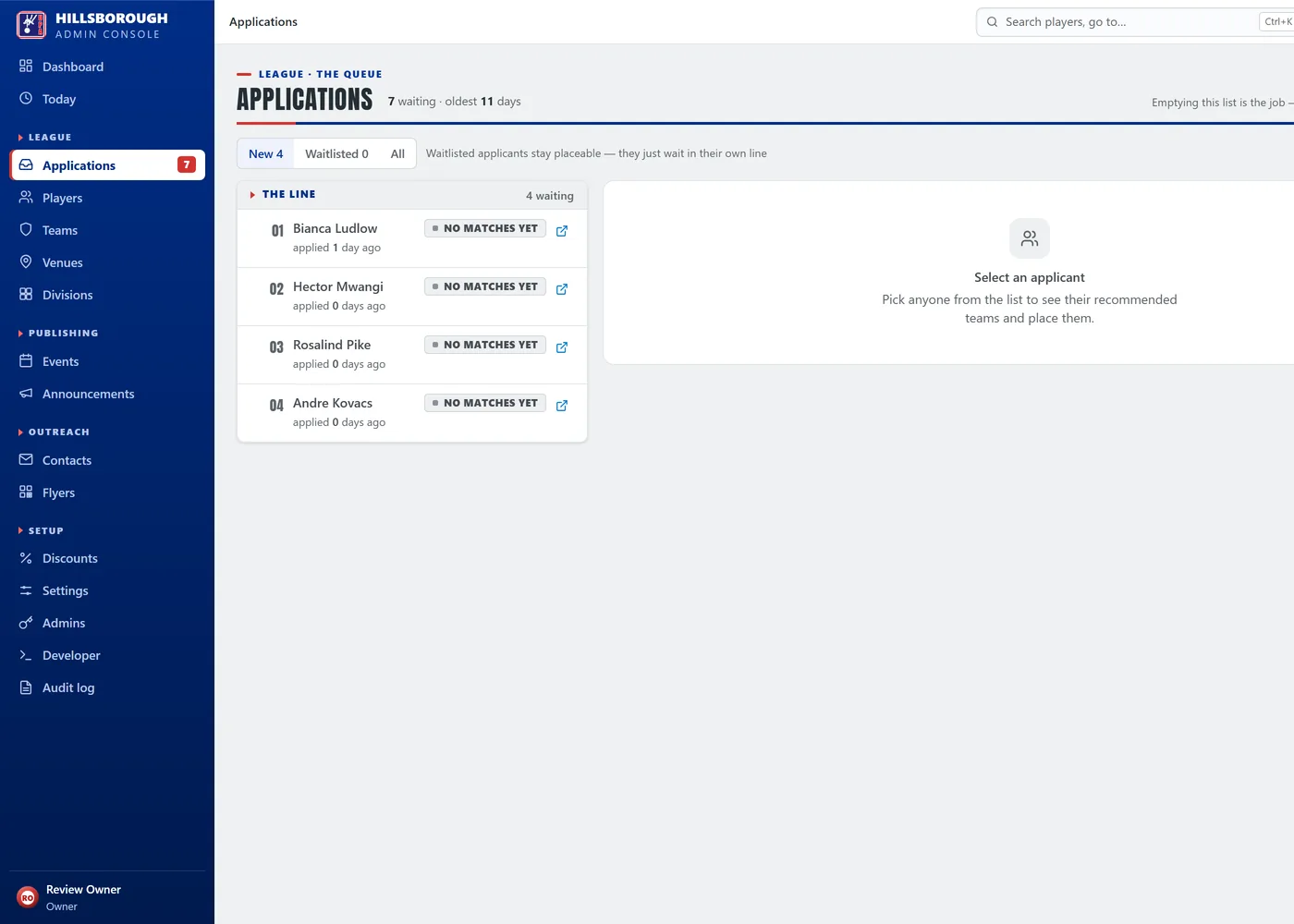
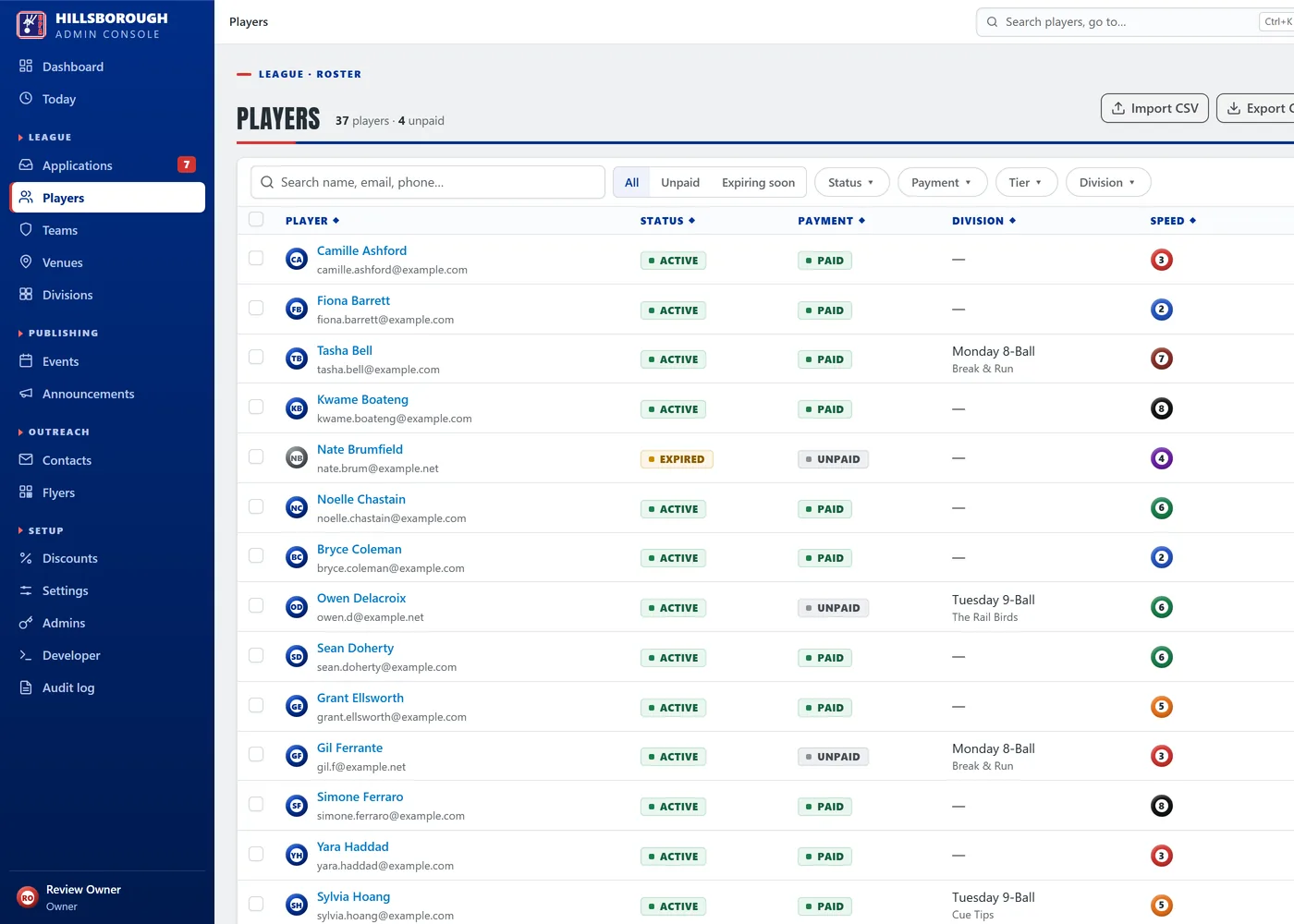
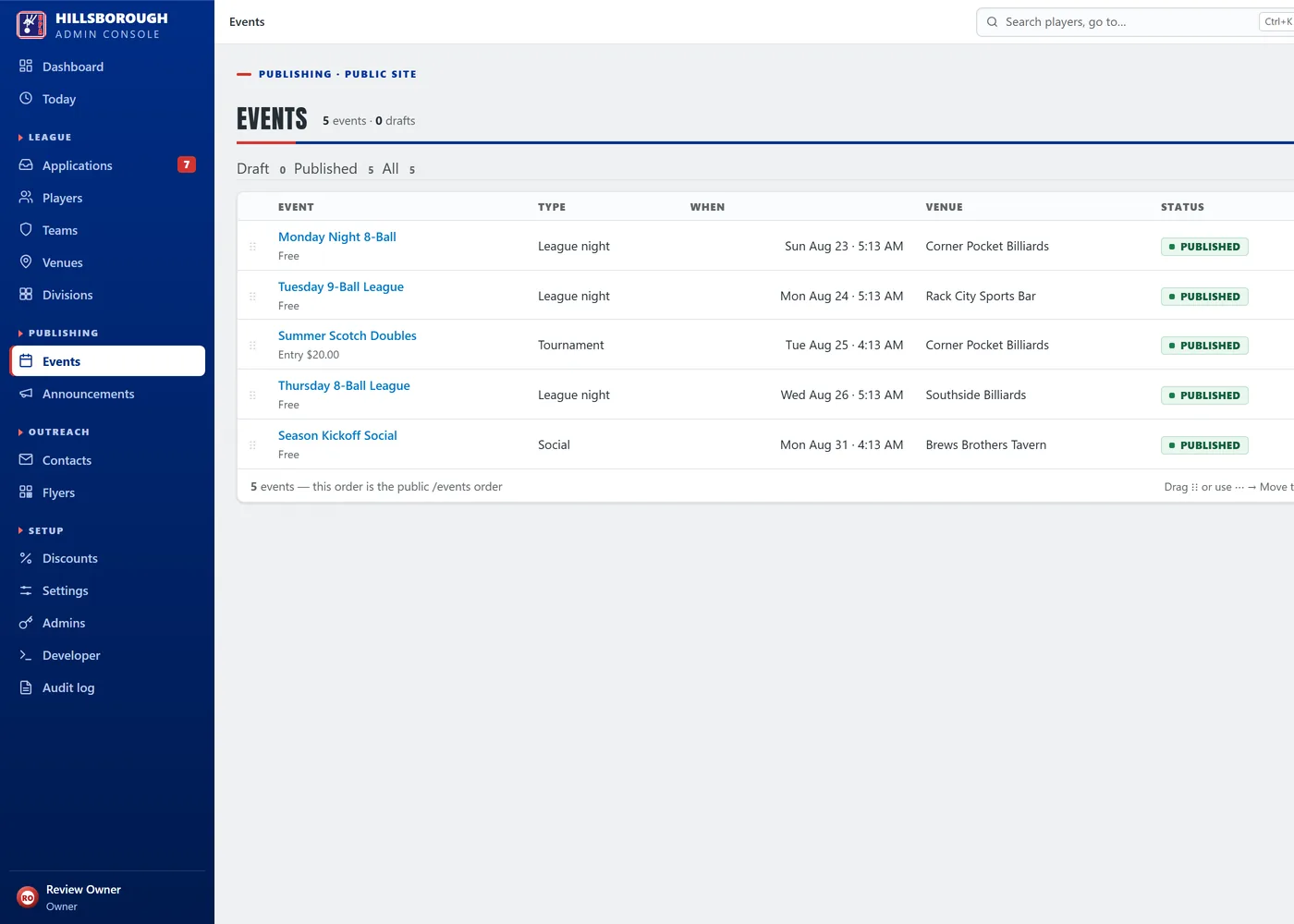
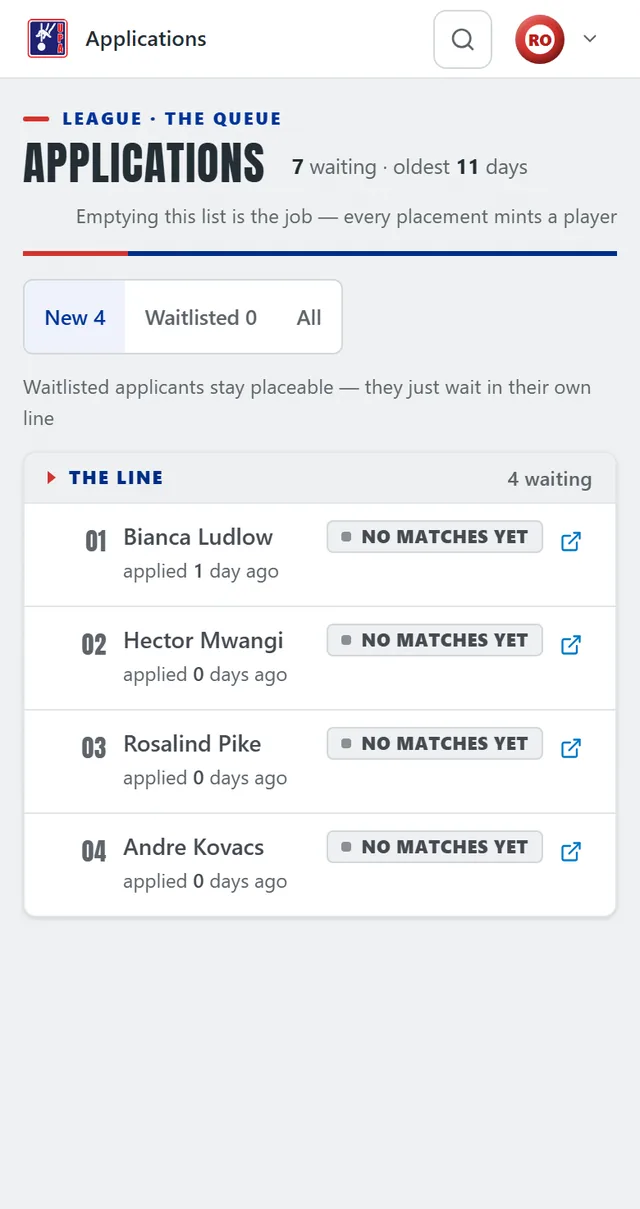
admin.upahillsborough.com demo data
Four captures of the UPA Hillsborough admin console, cycling through one real job: the dashboard, with applicants waiting, unpaid players and a year of player growth; the applications queue, with a line of new applicants and none matched to a team yet; one applicant’s record, opened at its row of actions — Place on team, Link to existing player, Waitlist, Reject — where putting someone on a team is what admits them to the league; then the queue again after that placement, one row shorter and the waiting count down by one, because a placed applicant leaves the line. Every person, team and venue on screen is seeded demo data.
When an app is the answer

A website tells people about you. An app does work for you.

The line is simple. If the problem is that people can’t find you, you need a website. If the problem is what happens after they do, you need an app.

A website is enough when
  • You need to be found and called
  • The content changes a few times a year
  • Nobody needs to log in
  • Your admin work fits in an inbox
That’s me — see websites
You need an app when
  • Different people need different access
  • The same spreadsheet gets emailed around
  • Someone retypes data that already exists
  • You’re paying per seat for software that half fits
  • Growing means hiring someone to do admin
What I build

Six shapes that cover most requests

Admin consoles

The private side of a public site. Staff manage records, work the queue, and publish updates without touching code.

UPA Hillsborough runs on one

Customer portals

Clients log in to see their own jobs, documents, invoices, or progress — instead of emailing you to ask.

Cuts the “any update?” emails

Scheduling & dispatch

Jobs, crews, and calendars in one place, with assignment and status that the field can update from a phone.

Replaces the group text

Inventory & assets

Stock, equipment, or fleet with locations, check-in and check-out, and alerts before you run short.

Barcode scanning optional

Reporting dashboards

The five numbers you actually run the business on, pulled from the systems you already use and updated on their own.

No more Monday spreadsheet

AI-assisted tools

Document generation, intake summarising, and drafting built into a real workflow rather than bolted on as a chatbot.

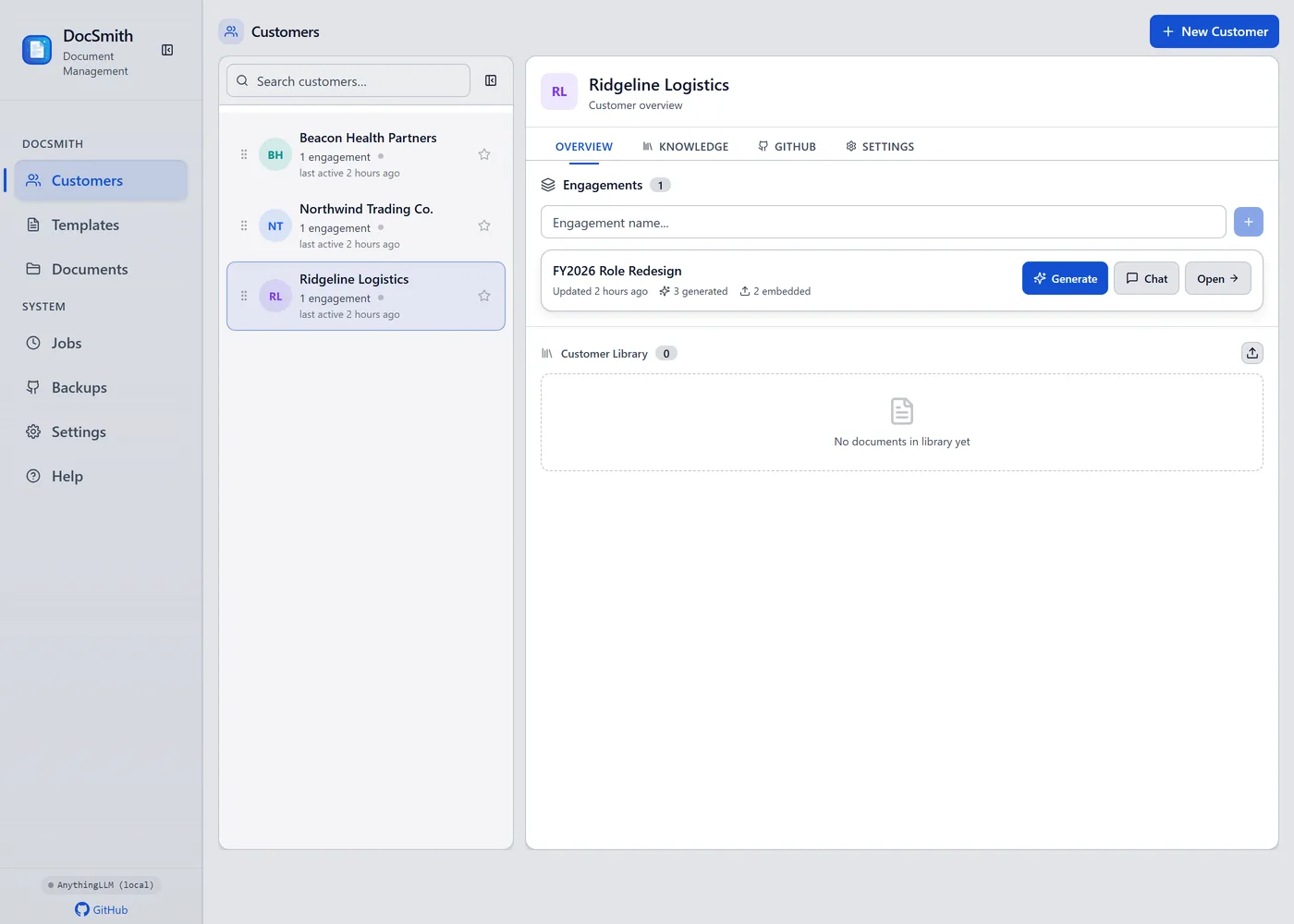
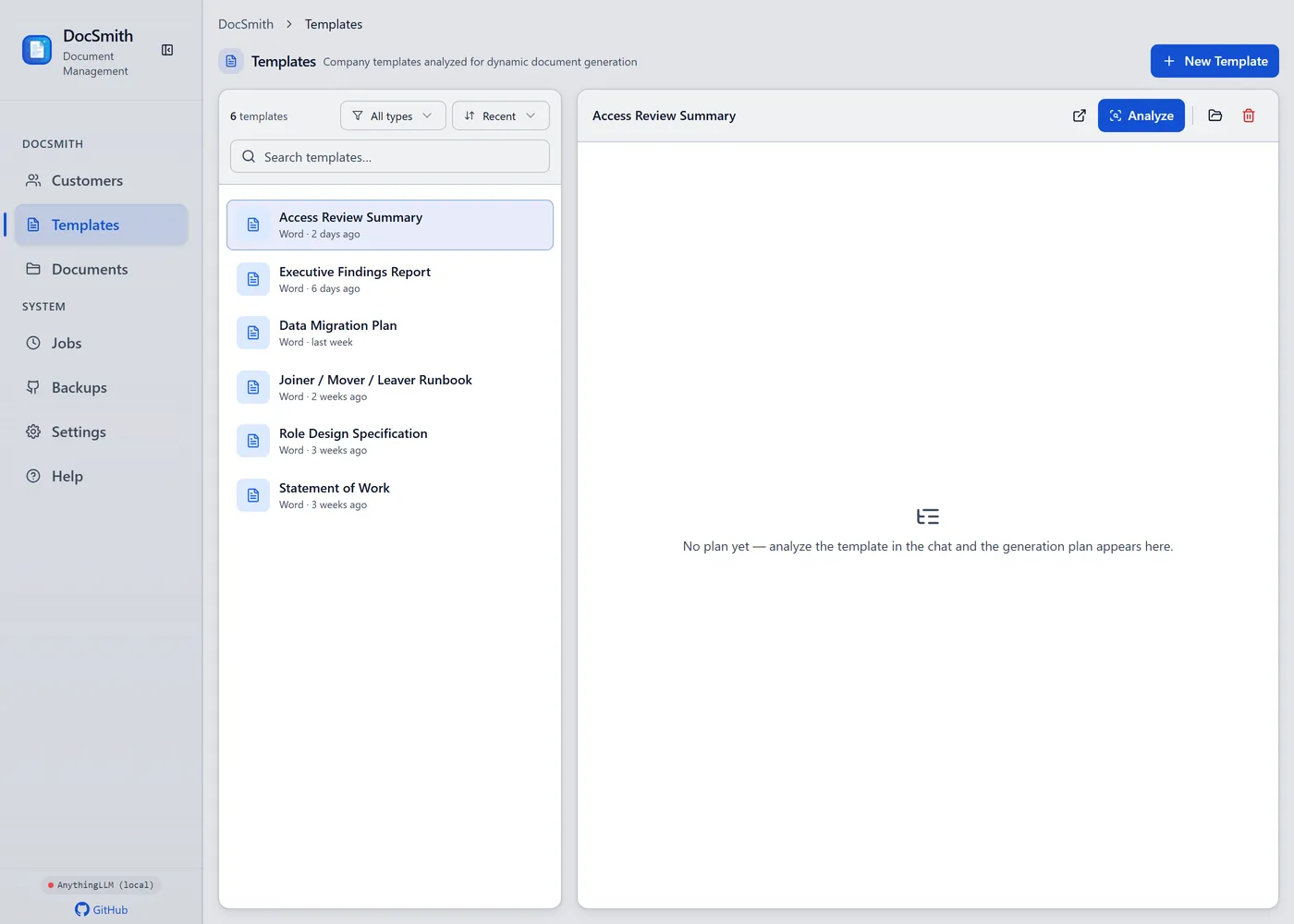
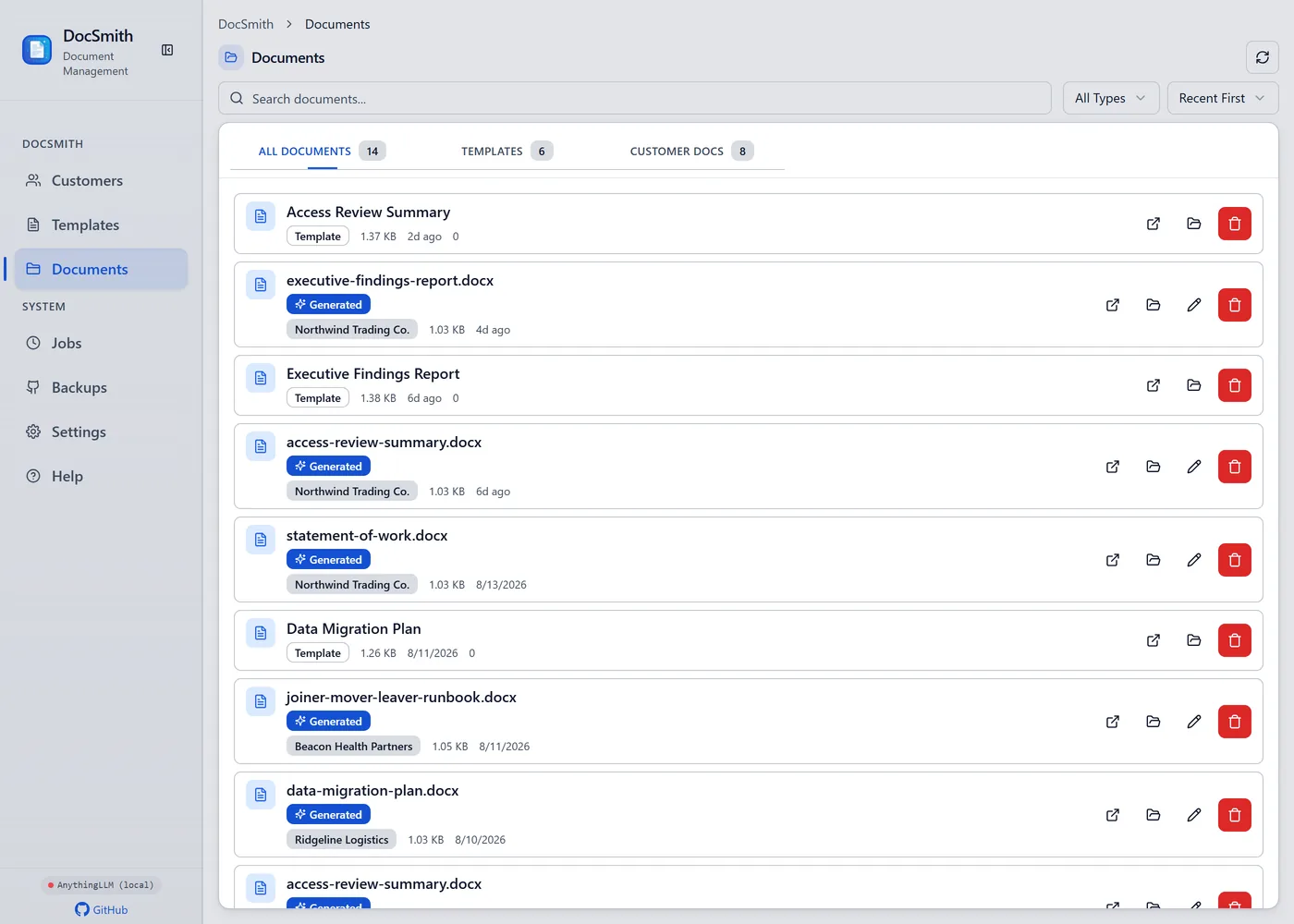
DocSmith is one of mine
Rough spec builder

Tick what your app needs. I’ll show you what that means.

Every app is assembled from the same handful of parts. Select the ones that sound like your situation and you’ll get a plain-language spec plus a range — no email required.

Rough estimate

$1,000 – $2,500

10–15 days

Your build includes
Logins & roles Records & lists

A small internal tool. Two weeks, one clear job, and something your team can use immediately.

Turn this into a real quote

A planning estimate, not a quote. Real numbers come after one conversation.

Apps in production

Two builds carrying real work today

Youth sports league · site + admin console

UPA Hillsborough

A public league site backed by a role-based console. Registrations arrive as applications and wait in one queue; placing an applicant on a team is what turns them into a player, and teams, rosters, schedules, and event pages all update from the same place. Volunteers get the access they need and nothing else.

Records
Applications, players, teams, coaches
Access
Separate admin, staff, and coach roles
Publishing
Events and schedules pushed to the public site
See the full case study
Product · desktop app with AI

DocSmith

My own product, and the clearest proof of what I can build for someone else. Customer and engagement records, templated document generation, and AI assistance wired into the workflow rather than sitting beside it.

TypeScript React Electron SQLite LLM integration
On the phone

The people using it aren’t at a desk

Coaches, crews, and volunteers use the app between other jobs, on whatever phone is in their pocket. Every screen is designed for that first, then given room to spread out on a laptop — not shrunk down afterwards.
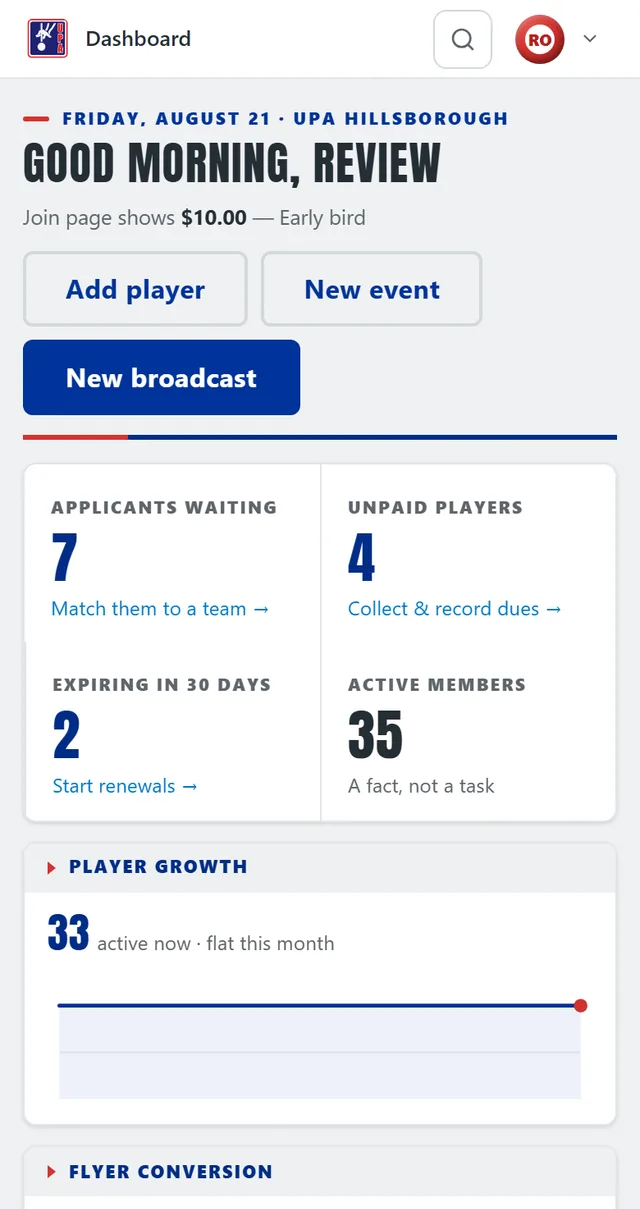
The console dashboard on a phone: Add player and New event side by side above a full-width New broadcast button, then applicants waiting, unpaid players, memberships expiring and active members as a two-by-two tile grid
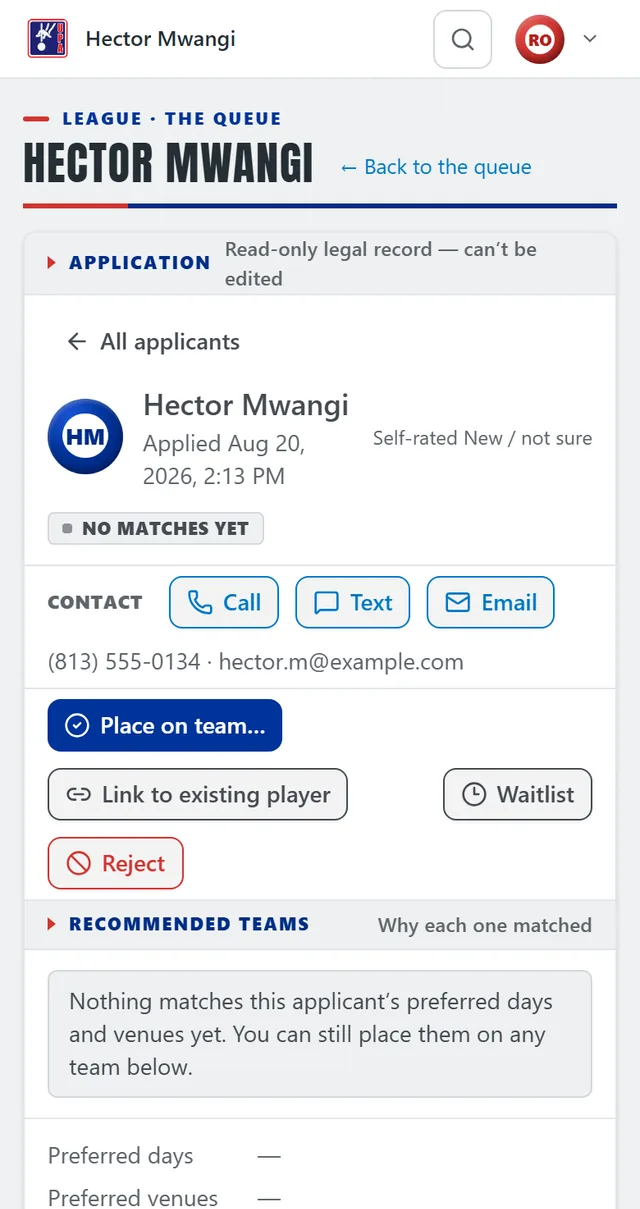
An applicant’s record on a phone: their name, when they applied and their self-rating, then Call, Text and Email as full-width buttons, then Place on team as the primary action above Link to existing player, Waitlist and Reject
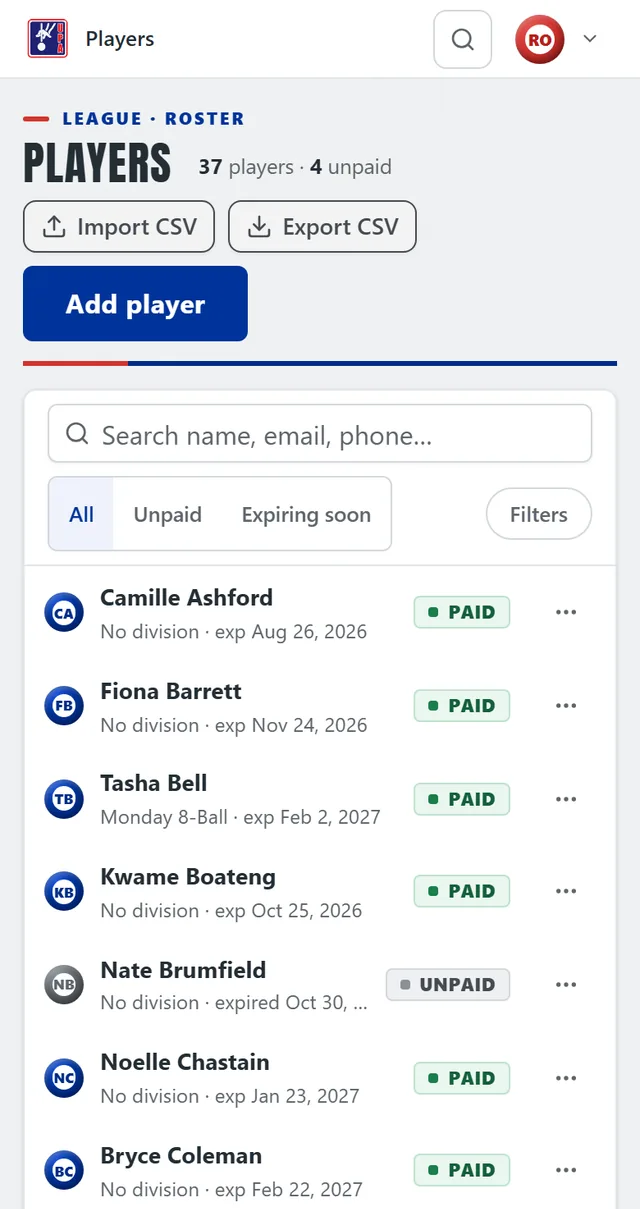
The players roster on a phone: the desktop table redrawn as stacked cards, each with the player's name, division, membership expiry and a paid or unpaid tag, under a search box and All, Unpaid and Expiring soon filters
Install it

Added to the home screen it opens like any other app — full screen, own icon, no app store.

Thumb first

The actions people repeat all day sit in the lower half of the screen, at 44px or larger.

Tables, rethought

Wide data tables become stacked cards on a phone rather than something you pinch and drag.

Short forms

Forms are laid out one question at a time and ask only for the fields the job needs, so nothing that matters sits below the fold.

One screen, one job

Each screen is designed around a single task, so nobody standing in a car park is hunting through a layout drawn for a monitor.

Tested for real

Checked on actual phones, in daylight, one-handed — not by dragging a browser window narrow.

How an app gets built

Five steps, and you see working screens in week one

Apps go wrong when nobody agrees what they are. I fix the shape before I write the code, then show you real screens early enough to change your mind.

01

Walk me through the current process

Including the spreadsheets and the workarounds. The awkward parts are usually where the value is.

02

Scope and data model

A written spec: the screens, who can see what, and what the app stores. You approve it and the price before anything is built.

03

Build in visible slices

One working area at a time, on a preview link you can log into. You see progress weekly instead of waiting for a reveal.

04

Test with your real data

Import what you have and run a week in parallel with the old way. That’s the only test that finds the real problems.

05

Launch and hand over

Training for whoever uses it, written notes for whoever maintains it, and the source code in your account. I stay on hand for fixes once you’re live.

App questions

The fair questions to ask before spending this much

The honest version of the question, and it deserves an honest answer. The code lives in a repository you own, on infrastructure in your name, built with mainstream tools any competent developer knows. I write handover notes as I go, not at the end. You’d be inconvenienced, not stranded.

Usually a web app: it opens in a browser, works on phones and laptops, and can be installed to a home screen so it feels native. That avoids app store review, separate iOS and Android builds, and roughly double the cost. If you genuinely need push notifications or offline use, we’ll talk about a real mobile build.

That’s the approach I’d push for. Build the one workflow that hurts most, use it for a month, then decide what’s next with real experience instead of guesses. The data model is designed with room for phase two even when phase two isn’t funded yet.

Hosting and a database for a small app is a low monthly cost, in your own account, and I quote it with the project so there are no surprises. Add usage costs only where they apply — text messages, AI calls, payment processing. No per-seat licence to me, so adding staff doesn’t raise your bill.

Sometimes, and I’ll say so. If an existing product already covers nearly everything you need for a modest subscription, buy it. Custom earns its cost when the fit is poor, when per-seat pricing punishes you for growing, or when the process is the thing that makes you competitive.

Describe the process that keeps breaking

Twenty minutes is usually enough for me to tell you whether an app is worth building, and roughly what it would take.

Tampa-based · clients nationwide · reply within one business day